WordPress with SQLite
Oficially, WordPress only supports MySQL, but with this plugin created by kjmtsh you can use SQLite instead.
The plugin was created a long time ago, but still works like a charm on the current latest WP version (v5.2 – Jun 2019).
This solution is not meant to be used in production for large websites, but it can be an interesting option if you have a small blog with few visitors. An SQLite version works better than MySQL on a server with very limited resources.
By the way, this blog runs on SQLite 😉
UPDATE Nov 2020: This blog used to run on WordPress and SQLite, but I have migrated it to VuePress.
TIP
To migrate an existing site, see instructions at the end.
# This tutorial on video (3 min, no sound)
# Step by Step
# 1. Download WordPress (opens new window) and SQLite Integration (opens new window) Plugin
wget https://wordpress.org/latest.tar.gz
wget https://downloads.wordpress.org/plugin/sqlite-integration.1.8.1.zip
ls
    latest.tar.gz  sqlite-integration.1.8.1.zip
# 2. Extract files
tar -xf latest.tar.gz
unzip sqlite-integration.1.8.1.zip
ls
    latest.tar.gz  wordpress  sqlite-integration.1.8.1.zip  sqlite-integration
# 3. Remove zip files (optional, for cleanup)
rm latest.tar.gz
rm sqlite-integration.1.8.1.zip
ls
    wordpress  sqlite-integration
# 4. Move plugin to wp-content/plugins
mv sqlite-integration wordpress/wp-content/plugins/
# 5. Move db.php to wp-content
cd wordpress
mv wp-content/plugins/sqlite-integration/db.php wp-content/
ls wp-content
    db.php  index.php  plugins  themes
# 6. Transform wp-config-sample.php into wp-config.php
mv wp-config-sample.php wp-config.php
# 7. Run the WP installer as usual
Start webserver:
php -S localhost:3000
    PHP 7.3.6-1 Development Server started at Sun Jun 16 22:29:00 2019
    Listening on http://localhost:3000
    Document root is /home/daniel/wordpress
    Press Ctrl-C to quit.
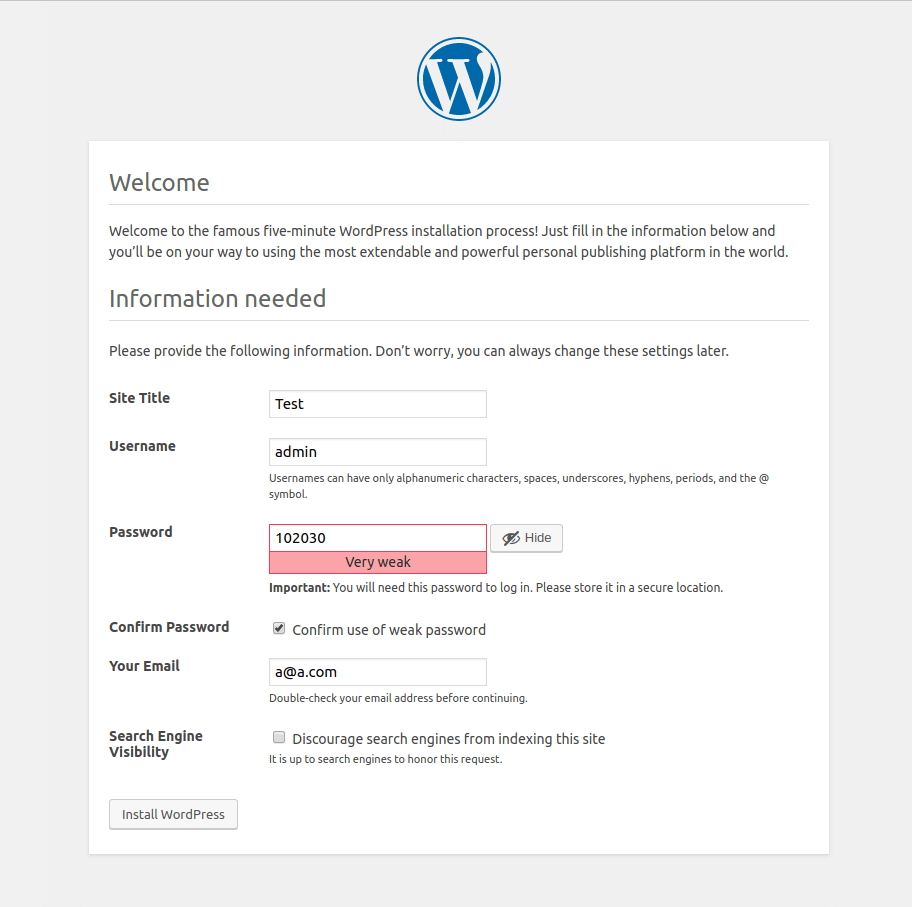
Open the page (http://localhost:3000/) and proceed with the installation.

No need to provide database information (the step will be skipped):
# Troubleshooting
If you see the "PDO Driver for SQLite is missing" error, install the php-sqlite package and restart the service:

# Migrating an existing website
TIP
NO NEED to convert MySQL to SQLite. Just use Duplicator (or any other migration plugin).
Install a brand new copy of WordPress with SQLite, then:
- Install Duplicator (opens new window) plugin on both websites (existing and brand new copy instances);
- Do a backup of your existing website using Duplicator;
- Restore the backup on the brand new instance using Duplicator’s "restore";
- Done!